
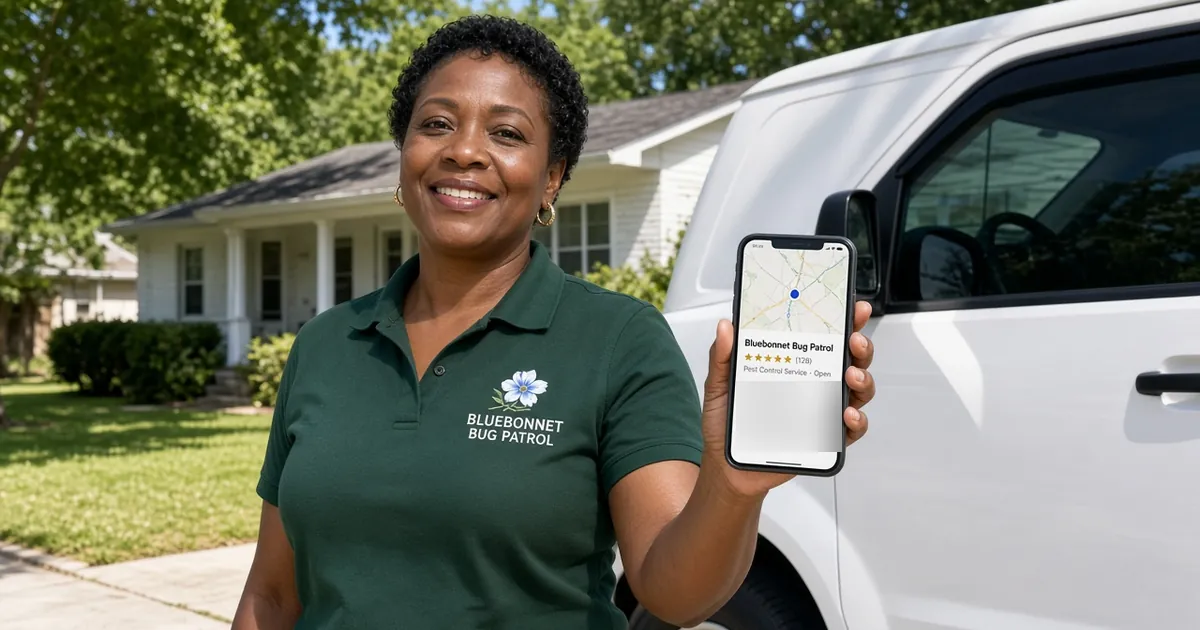
Short answer: local SEO for a small business comes down to five jobs. Claim and complete your Google Business Profile. Make your name, address and phone number match everywhere. Build one strong page per service with your city on it. Ask every happy customer for a review. Then keep it all fresh. Do those five well and you'll have done more than a lot of businesses ever do, without buying a "guaranteed #1 on Google" package from a stranger who called during dinner.
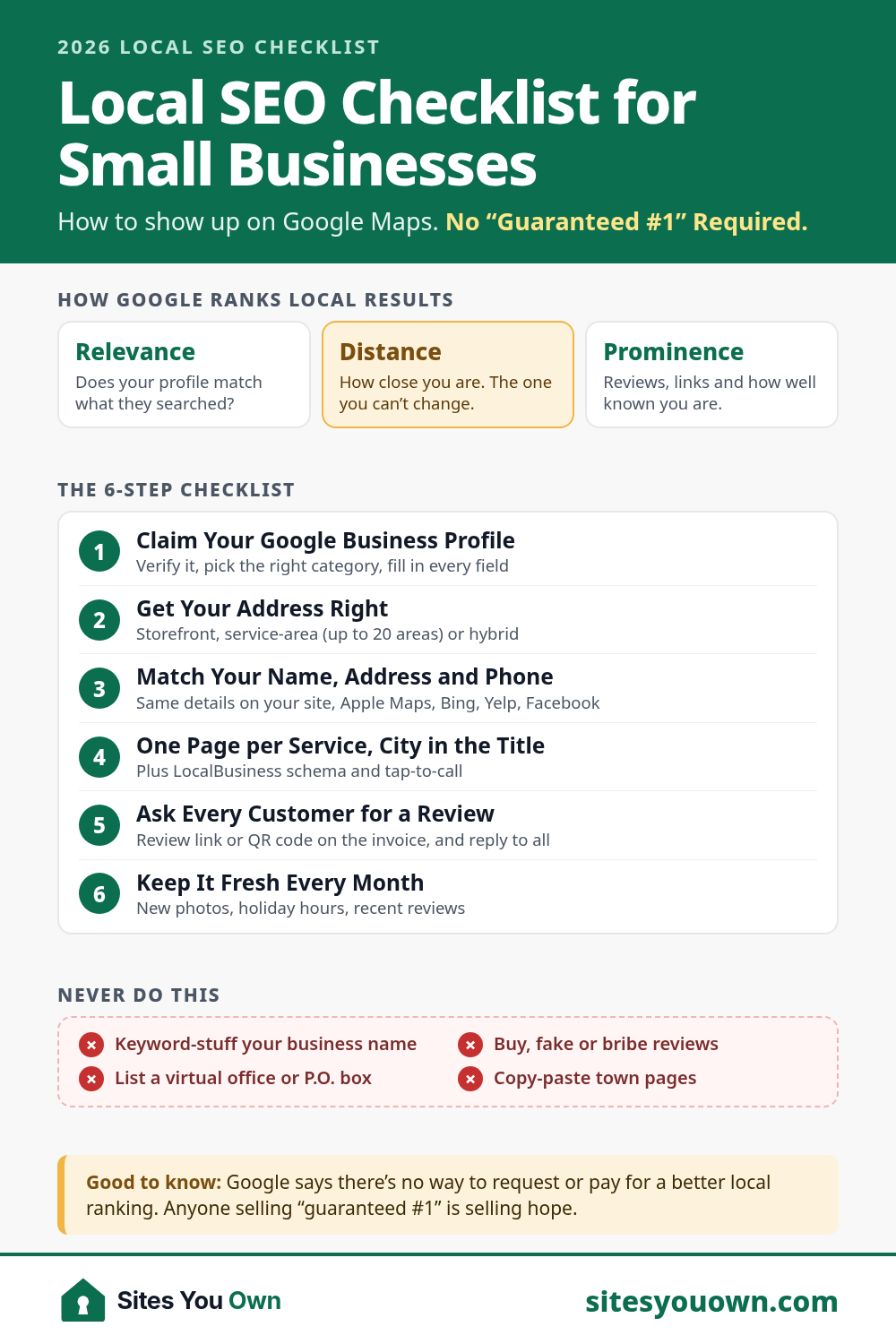
About that guarantee: Google's own help page says there's no way to request or pay for a better local ranking. What Google does say is that local results mainly come down to relevance, distance and prominence. After 20+ years and 1000+ sites launched, I can tell you most small businesses lose the local game on the two they can actually control. Here's the checklist I use, in the order I'd do it.
How Google Decides Who Shows Up in the Map Pack
Search "AC repair near me" on your phone and you'll usually get a map with a short list of businesses under it. That list comes from Google Business Profiles, not from ordinary web pages. Google's tips to improve your local ranking name three factors:
- Relevance: how well your profile matches the search. You control this with your categories, services, description and website.
- Distance: how far you are from the person searching. You can't control this, short of parking a second van in a better ZIP code. (Please don't.)
- Prominence: how well known you are. Google says links, reviews and ratings all feed into this.
The specialists broadly agree. In Whitespark's 2026 Local Search Ranking Factors survey of 47 local search experts, the primary Business Profile category was the top factor for map rankings, with distance close behind. They're expert opinions, not Google's code, but they line up with what I see.
Step 1: Claim, Verify and Complete Your Google Business Profile
This is the biggest lever, and it's free. If you haven't claimed your profile, Google may have built one anyway, from crawled web content, licensed data and information from users. Which means a stranger may have uploaded the only photo of your business. It's probably your dumpster.
- Verify it. Google says a verified business is more likely to show up in search results.
- Pick the right primary category. Google's guidelines say to choose categories that complete the sentence "This business IS a", not "This business HAS a". You're a "Plumber", not "Water Heaters, Drains and General Awesomeness".
- Use your real business name. The same guidelines say it should match your storefront and website. "Joe's Plumbing - Best Emergency Plumber Phoenix Cheap 24/7" isn't a name. It's a ransom note, and it can get your profile suspended.
- Fill in everything else: hours (including holiday hours, because the Fourth of July happens every year), phone, website, services, a plain-English description and the attributes that apply to you.
- Add real photos: you, your team, your vans, your storefront, your finished work. Not a stock photo of a man laughing alone at a salad.
One more thing: make sure the profile sits in your Google account, with your designer or marketer added as a manager. Here's who should own your domain, hosting and Google accounts.
Step 2: Storefront, Service-Area or Hybrid? Get Your Address Right
Google sorts businesses into types:
- Storefront: customers come to you, like a dentist, a bakery or a barbershop. Show your address.
- Service-area business: you go to customers and don't serve them at your address, like plumbers, cleaners and mobile dog groomers. Remove the address and list your service areas instead. You can add up to 20, and Google says the whole area shouldn't stretch more than about two hours' drive from your base.
- Hybrid: you do both, like a pizzeria that also delivers. Show the address and add service areas.
What you can't do is list a virtual office or a rented mailbox. Google's guidelines say a virtual office isn't eligible for a Business Profile, and P.O. boxes aren't acceptable addresses. Borrowing your cousin's address in a fancier ZIP code is also, as the lawyers say, a bad idea.
Step 3: Make Your Name, Address and Phone Number Match Everywhere
SEO people call this "NAP consistency" (name, address, phone), because this industry has never met an acronym it didn't like. Google pieces your business together from lots of sources. If your website says "Suite 200", Yelp says "Unit B" and Facebook still has the number from before you switched carriers, you're asking Google to guess.
- Write down one official version of your name, address and phone number, and use it exactly, everywhere.
- Put it in your website footer and on your contact page, matching your Google Business Profile word for word.
- Claim and fix your listings on the sites your customers actually use: Apple Business Connect (for Apple Maps), Bing Places, Yelp, Facebook, the BBB, Nextdoor and the big directory for your trade.
- Merge or remove duplicates. Google's guidelines allow one profile per business location.

Don't pay anyone to "build 300 citations" on websites nobody has visited since dial-up. Whitespark notes citations lost a little more weight again this year. Accuracy on the dozen listings that matter beats volume.
Step 4: Build Website Pages That Match What People Search
Your Business Profile links to your website, and the website is where you prove relevance. Nobody searches for "Smith & Sons". They search for "water heater replacement Mesa".
- One page per main service, with photos of that work, what's included, a price guide if you can give one, and a few FAQs. The full page plan is in 10 must-have pages for a small business website.
- Your city and service area in plain sight: in the homepage headline, the page titles and the footer. "Emergency plumber in Mesa, AZ" beats "Excellence in Every Drop".
- LocalBusiness structured data (schema), so search engines can read your name, address, hours and phone without squinting. Google explains it in its LocalBusiness structured data guide.
- A fast, phone-friendly site with tap-to-call. A lot of local searches happen standing in a parking lot, holding a coffee.
A Word About Town Pages
Pages like "Plumber in Tempe" and "Plumber in Chandler" can work, but only if each one is genuinely useful. Google's spam policies list pages targeted at specific regions or cities that funnel users to one page as doorway abuse. My test: swap the town name for another town you serve. If every sentence is still true, it isn't a town page. It's a photocopy. Real town pages have jobs you've done there, local photos, reviews from customers in that town and how fast you can get there.
Step 5: Get More Google Reviews, the Honest Way
Reviews do double duty. Google says they help prominence, and customers read them before they call. In BrightLocal's 2026 Local Consumer Review Survey of 1,002 US adults, 47% said they won't use a business with fewer than 20 reviews, 74% only care about reviews written in the last three months, and 68% will only use a business with four stars or more. So a pile of five-star reviews from 2019 is a lovely antique. It isn't a strategy.
- Ask every customer at the happy moment: when the job's done, at checkout, on the invoice. Google suggests sharing a review link or QR code, and explains how to create one from your profile.
- Reply to reviews, good and bad, briefly and like a human. BrightLocal found that 80% of consumers are likely to use a business that responds to all of its reviews.
- Never buy, fake or bribe. Google prohibits offering discounts or freebies in exchange for reviews. In the US, the FTC's rule banning fake reviews has been in effect since October 21, 2024. It lets the FTC seek civil penalties against businesses that buy fake reviews or reward reviews that express a particular sentiment. "Five stars gets you a free car wash" is a particular sentiment.

Step 6: Keep It Fresh
Local SEO isn't a one-time chore like assembling a bookcase. It's more like mowing the lawn: easy if you do a little often, a jungle if you don't.
- Set holiday hours before Thanksgiving, Christmas and the Fourth of July.
- Add a few new photos of real work every month.
- Check your profile for edits from the public. Anyone can suggest an edit to a Business Profile. Yes, anyone.
- Once a month, look at your Business Profile performance and Search Console to see which searches bring calls.
Local SEO Mistakes That Quietly Cost You Calls
- A keyword-stuffed business name. It might work for a while. Then it gets reported by a competitor with time on their hands.
- Two profiles for one business, usually because someone made a new one instead of finding the old login.
- Fake reviews, or reviews from your mom, your mom's book club and your mom's book club's dog.
How Long Does Local SEO Take?
It depends on your competition. Some changes are quick: Google says service-area edits can take up to 48 hours to show once approved. Reviews and website pages take months to add up. A roofer in a small town might see movement in weeks. A personal injury lawyer in Los Angeles is in for a longer haul. Anyone who promises a date for #1 is guessing, or selling.
Want It Done for You?
I'm Jai. I work remotely from New Delhi with US-friendly hours: calls Monday to Friday, 9am–1pm US Eastern (ET). Most of my clients are small businesses in the US, UK, Canada and Australia. My local SEO setup starts at $499, with a fixed price in writing: Google Business Profile setup or clean-up, LocalBusiness schema, a NAP consistency check, 10 core citations, and a review request process with templates. Need the website too? The Business package (from $699) includes Google Business Profile setup and LocalBusiness schema, and Growth (from $1,399) adds service and area pages plus local SEO setup. See the pricing page or web design for US small businesses.
Planning for a trade? Here's how I approach HVAC company websites, plumber websites and cleaning service websites. Or see recent work, like the Roser Lawyers website for a Sydney law firm. Your domain, hosting, Google Business Profile and every login stay in your name.
Not sure why your competitors show up on the map and you don't? Book a free 20-minute call and we'll look at your profile and website together. Or request a free website audit, which includes a Google Business Profile check, and get the answer on video.